dimmi agent
Versions and analytics
Compare published procedure versions, roll back changes, track live resolution rates, and let Operator audit failing runs.
Once a procedure is live, dimmi tracks every published version and every conversation that follows it. You can compare changes step by step, undo a bad edit in seconds, and inspect where live chats succeed or hand over.
Version history and rollback
Section titled “Version history and rollback”Every time you click Publish or Publish changes, dimmi saves a numbered version with who published it and the note they left.
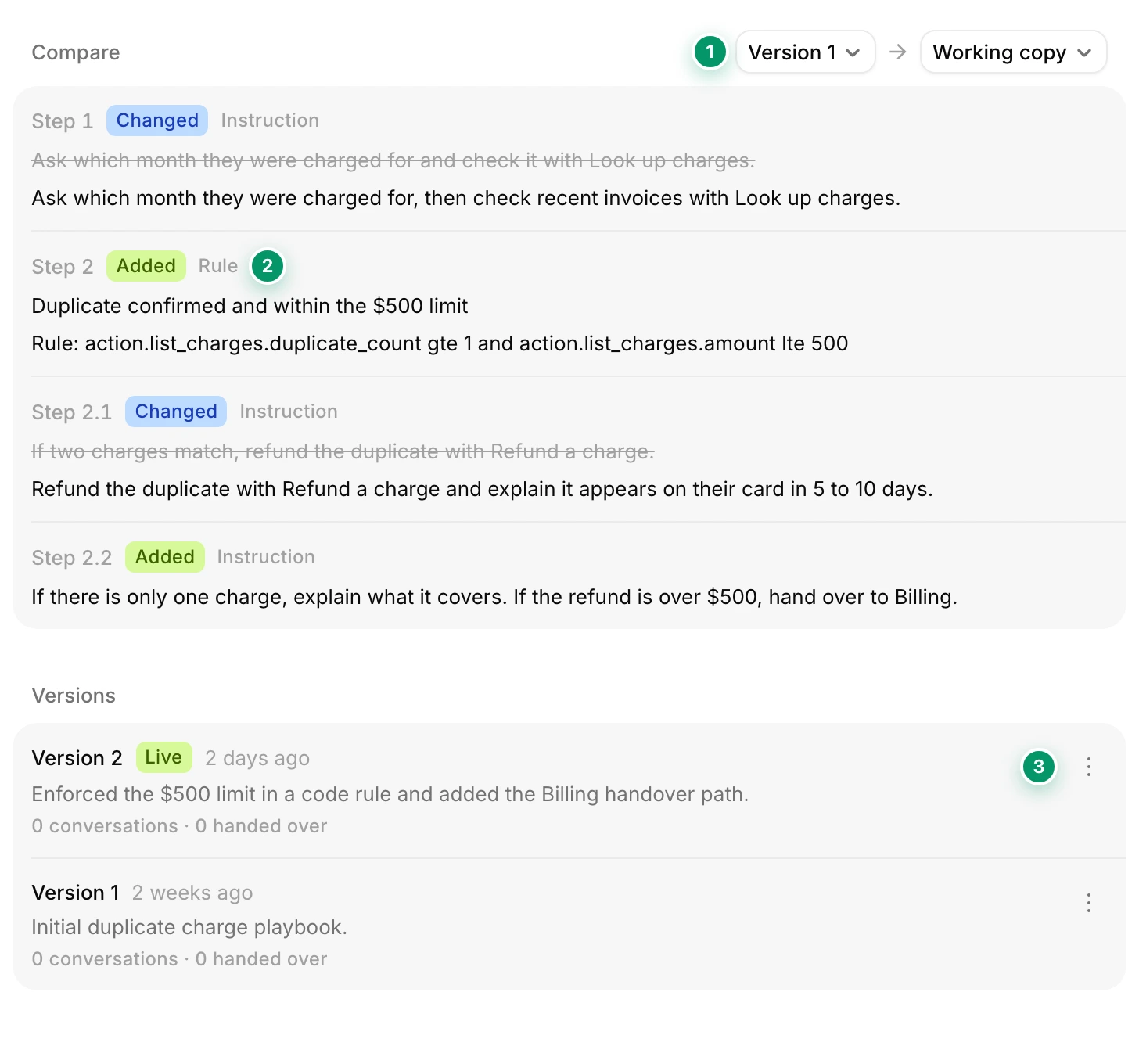
- Compare pickers: pick any two versions, or compare an older version against your Working copy.
- Step-by-step diff: highlights added, removed, and changed steps in plain words, including rule edits.
- Version menu (
⋯): compare a version with your working copy, Restore as working copy to inspect it before publishing, or Publish this version to make it live right away after confirming.
Procedure analytics
Section titled “Procedure analytics”Open the Analytics tab to inspect how a procedure performed over the last 7, 30, or 90 days, across all versions or one specific version:
- Conversations and Resolved by AI: counted the same way as Reports → dimmi agent, so workspace totals always match.
- Handed over and CSAT: shows handover rate alongside positive rating share and average score out of 5.
- Steps: tracks how many conversations reached and finished each step, plus how often each branch went Then versus Else.
- Handovers by reason: separates the procedure’s own handover rules from safety-check handovers and errors.
- Guardrails: counts out-of-order calls refused, replies sent back for a skipped action, and safety handovers.
- Actions and recent runs: shows each action’s speed and error rate, plus clickable links to the exact conversations behind the numbers.
To compare every procedure side by side, open Reports → dimmi agent and scroll to the Procedures table. Click any row to jump straight to that procedure’s Analytics tab.
Audit procedures with Operator
Section titled “Audit procedures with Operator”Click Operator in the procedure editor header to work on a live playbook with Operator. Three built-in prompts are ready right below the composer:
- Review recent runs: reviews recent runs that failed or triggered safety handovers, then proposes working-copy edits plus a saved simulation made from the failing chat in one reviewable changeset.
- Review this procedure for gaps: flags unclear steps, missing edge cases, and policy conflicts.
- Suggest test cases: proposes saved simulations covering your main branches and edge cases.
To run failure audits on a schedule, add a routine from the Weekly digest and procedure tune-up template. Each run, Operator reviews recent failing procedure runs and prepares reviewable changesets for your team. Operator never publishes a procedure on its own.
For programmatic access to versions, metrics, and the workspace procedures report, check the ai:read and ai:write endpoints in the API reference or connect over MCP.