dimmi agent
Steps, chips, and rules
Bind actions, customer details, articles, and sub-procedures with @ chips, add exact rules, and enforce required steps.
A procedure combines plain-English guidance with structured building blocks so the dimmi agent always uses real data and follows your policy limits.
This guide covers inline @ chips, exact rules versus plain-English conditions, required action checks, sub-procedures, and where a procedure applies.
Write steps with @ chips
Section titled “Write steps with @ chips”Type @ in any step to insert a chip pointing at something real in your workspace. Use the arrow keys, Enter, and Esc to pick from the grouped menu.
| Chip | What dimmi does with it |
|---|---|
| Actions | Always offers that action while the procedure runs, even in a workspace with many actions. |
| Customer & company | Names a trusted detail, like a custom attribute or a field returned by an earlier action. |
| Help articles | Loads the article as a source the agent cites, if the customer’s audience may read it. |
| Inbox actions | Tags the chat, hands it to a team, or opens a ticket of a specific type. |
| Sub-procedures | Follows another procedure’s steps right here. |
Click any action chip to control how strictly dimmi treats it:
- Execution: Required means the agent must call it before replying. Only when it applies means the agent calls it when it fits, and skipping it never holds a reply back.
- Run only after: pick earlier actions that must succeed before this one can run.
- If unavailable: choose whether to hand over to the team or continue without the action when it cannot run in a chat (for instance, an anonymous visitor on an action that requires a signed-in customer).
Conditions: exact rules or plain English
Section titled “Conditions: exact rules or plain English”Every condition step has a mode switch at the top so you can choose how strictly dimmi decides the branch:
- Rule (exact): dimmi checks the rule directly against the data and shows the agent only the matching side. Pick Match all or Match any, then add rules like
action.list_charges.amount is at most 500. - Plain English (AI): dimmi reads the conversation and action outputs to decide which side fits, then takes the unused side off the path for the rest of the chat. Until the chat settles it, the agent sees both sides, and actions inside it default to Only when it applies unless you mark them Required.
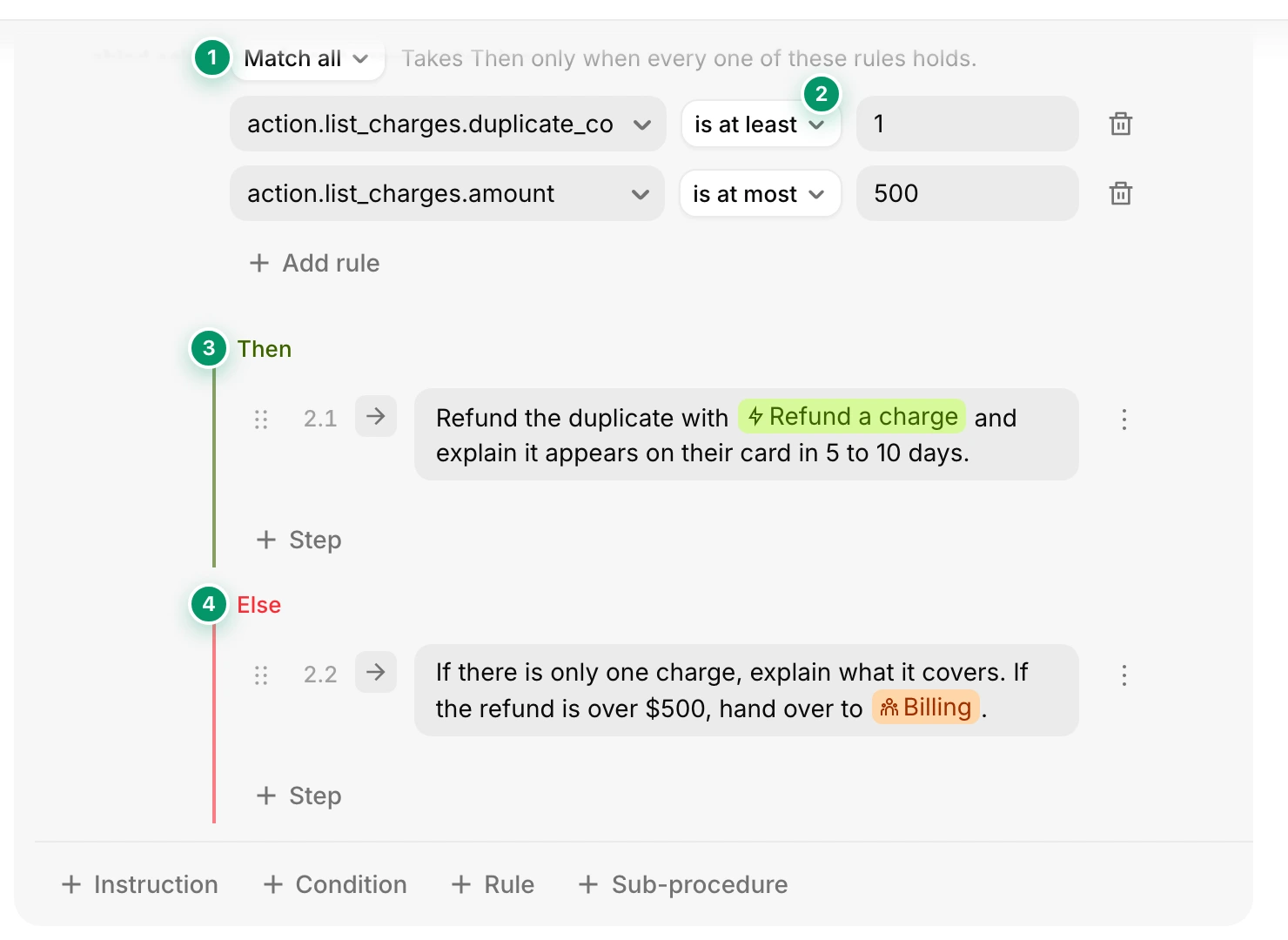
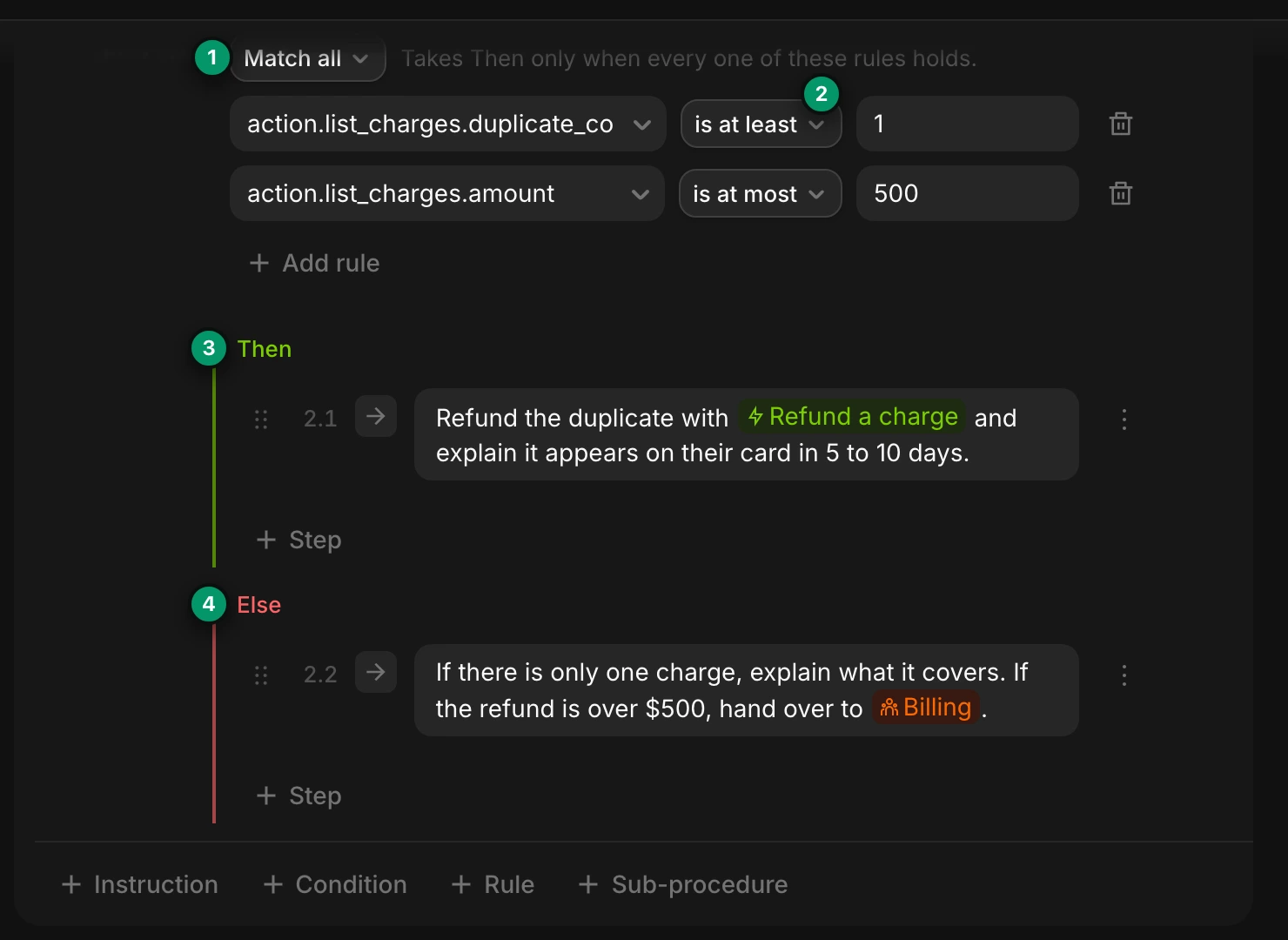
- Match mode: choose Match all (every rule must hold) or Match any (at least one rule holds).
- Fields and operators: compare trusted customer fields or earlier action results using typed operators (
is,is at least,is at most,contains,is set). - Then path: steps the agent sees only when the rule passes.
- Else path: steps the agent sees only when the rule fails, such as explaining a policy or handing over to a team.
Fields exact rules can read
Section titled “Fields exact rules can read”| Field | Reads |
|---|---|
contact.email, contact.name, contact.external_id |
The customer’s own fields |
contact.attr.<key>, company.attr.<key> |
Trusted custom attributes only, never values set by the browser |
conversation.channel, conversation.verified |
Where the chat happens, and whether the customer is signed in |
action.<action_name>.<field> |
What an earlier action returned, such as action.list_charges.amount |
The field picker suggests every field an action returned during its last live test under Settings → Actions. A rule that reads an action’s result stays locked, showing neither side, until that action runs.
Required actions and safety checks
Section titled “Required actions and safety checks”dimmi checks every procedure rule before sending a reply so skipped steps and out-of-policy actions cannot slip through:
- Out-of-order calls are refused. If the agent calls an action before its required earlier actions succeed, dimmi blocks the call and tells the agent which step must run first.
- Skipped required actions send the reply back. dimmi catches missing required actions before sending and reminds the agent up to 3 times.
- Still skipped after 3 reminders, the chat goes to the team. dimmi hands the conversation over with an internal note naming the step and action. Through the API, you can set a step to warn only to log the miss instead of handing over.
A required action never blocks a reply when it sits on an unused rule branch, inside a plain-English condition, when it cannot run in that chat, or while waiting for customer confirmation or teammate approval. If the action needs details only the customer knows (like an order number), the agent asks for them first.
Pre-send reply checks and tickets
Section titled “Pre-send reply checks and tickets”Before any reply reaches a customer, dimmi checks that the text carries no internal notes or unfilled placeholders. If it finds one, dimmi asks the agent to rewrite the reply once; if the second draft still carries it, dimmi withholds the reply and hands the chat to your team.
Long replies are also split into short paragraphs automatically. When a procedure opens a ticket, dimmi inserts the real ticket reference (such as T-482) without triggering a false handover.
Sub-procedures and where a procedure applies
Section titled “Sub-procedures and where a procedure applies”Write shared steps once, such as Verify identity, and drop them into other playbooks with a Sub-procedure step or @ chip. Turn on Sub-procedure only under Where it applies so dimmi never starts that helper procedure on its own.
Where it applies sits at the bottom of the Steps tab, below your steps and handover rules. Use it to limit a procedure to specific channels, inboxes, saved audiences, or signed-in customers. All channels and All inboxes mean everywhere the agent answers.
Publishing blocks a sub-procedure that is not live, loops like Refunds → Verify identity → Refunds, and chains deeper than 3 levels. You cannot pause or delete a procedure while live procedures still point to it.
Ready to try your draft safely? Head to Test procedures to run Preview chats and saved Simulations before publishing.